Anima 1.0 is a masterclass in optimization that democratizes high-fidelity niche generation for users with modest hardware. It effectively dismantles the technical barriers to specialized creative expression, proving that quality AI tools need not be gatekept by expensive GPUs.
拡張機能をインストールして、あらゆる動画内を即座に検索しましょう
NEW FREE NSFW ANIMA 1.0 FINAL IS HERE! LESS THAN 6GB VRAM!インデックス作成:
ANIMA 1.0 is FINALLY here! That was fast....This tiny 2B anime text to image beast is no longer just a preview model, and somehow it still runs fast, follows prompts really well, supports both Danbooru tags and natural language, delivers amazing anime images, and can be run and trained with less than 6GB of VRAM! In this video, I show you my updated ANIMA 1.0 workflow with the addition of the inpainting controlnet, compare the new final base model against the old preview model, and how to train your own LoRA using the Citron LoRA trainer. What do YOU think of ANIMA 1.0 FINAL? Let me know in the comments below! 👇 ▬▬▬▬▬▬▬▬▬▬▬▬▬▬▬▬▬▬▬▬▬ SOCIAL MEDIA LINKS! ✨ Support my work on Patreon: https://www.patreon.com/aitrepreneur ⚔️ Join the Discord server: https://discord.gg/3ErYSdyUPt 🧠 My Second Channel THE MAKER LAIR: https://bit.ly/themakerlair 📧 Business Contact: theaitrepreneur@gmail.com ▬▬▬▬▬▬▬▬▬▬▬▬▬▬▬▬▬▬▬▬▬ ✨ PATREON LINK: https://www.patreon.com/aitrepreneur RUNPOD: https://bit.ly/runpodAi Manual Installation Guide: https://pastebin.com/wrYvjh7b Previous Anima preview video: https://youtu.be/A5YzBUcbKB4 ▬▬▬▬▬▬▬▬▬▬▬▬▬▬▬▬▬▬▬▬▬ ►► My PC & Favorite Gear: i9-12900K: https://amzn.to/3L03tLG RTX 3090 Gigabyte Vision OC : https://amzn.to/40ANaue SAMSUNG 980 PRO SSD 2TB PCIe NVMe: https://amzn.to/3oBR0WO Kingston FURY Beast 64GB 3200MHz DDR4 : https://amzn.to/3osdZ6z iCUE 4000X - White: https://amzn.to/40y9BAk ASRock Z690 DDR4 : https://amzn.to/3Amcxph Corsair RM850 - White : https://amzn.to/3NbXlm2 Corsair iCUE SP120 : https://amzn.to/43WR9nW Noctua NH-D15 chromax.Black : https://amzn.to/3H7qQSa EDUP PCIe WiFi 6E Card Bluetooth : https://amzn.to/40t5Lsk Recording Gear: Rode PodMic : https://amzn.to/43ZvYlm Rode AI-1 USB Audio Interface : https://amzn.to/3N6ybFk Rode WS2 Microphone Pop Filter : https://amzn.to/3oIo9Qw Elgato Wave Mic Arm : https://amzn.to/3LosH7D Stagg XLR Cable - Black - 6M : https://amzn.to/3L5Fuue FetHead Microphone Preamp : https://amzn.to/41TWQ4o ▬▬▬▬▬▬▬▬▬▬▬▬▬▬▬▬▬▬▬▬▬ Special thanks to Royal Emperor: - TNSEE - RG - Gluthoric - Dean Newton Thank you so much for your support on Patreon! You are truly a glory to behold! Your generosity is immense, and it means the world to me. Thank you for helping me keep the lights on and the content flowing. Thank you very much! #anima #animaai #ai #texttoimage #imagegeneration ▬▬▬▬▬▬▬▬▬▬▬▬▬▬▬▬▬▬▬▬▬ WATCH MY MOST POPULAR VIDEOS: RECOMMENDED WATCHING - All LLM & ChatGPT Video: ►► https://www.youtube.com/playlist?list=PLkIRB85csS_tqEhGFLAPIYuQ-Rwhg_kpQ RECOMMENDED WATCHING - My "Tutorial" Playlist: ►► https://bit.ly/TuTPlaylist Disclosure: Bear in mind that some of the links in this post are affiliate links and if you go through them to make a purchase I will earn a commission. Keep in mind that I link these companies and their products because of their quality and not because of the commission I receive from your purchases. The decision is yours, and whether or not you decide to buy something is completely up to you.
The Anima base model is already here.
Well, that was fast.
>> [laughter] >> Hello humans, my name is Kay Ov Rlod and this is a small video update from my last Anima model video, which was an amazing super tiny two billion parameters anime AI model that was super powerful and that could be run and trained with only 6 GB of VRAM in a few minutes. But now, out of nowhere, we actually got the release of the final Anima base model. Yeah, that's right. I really was not expecting that model to drop this quickly. And of course, the model is really amazing. So, if you were waiting for the final base model to be released so that you can start training, well, there it is. So, today I'll show you my updated Anima base workflow.
Then, we will compare the base model to the preview model and then I'll show you how to train it. It's going to be a very simple, very chill video. So, that being said, sit back, relax, and let's go. And to install the Anima base model, you have two ways. The first is of course by using my workflow installer that is available for my Patreon supporters.
Just download the file onto your computer, then double click it and it will install ComfyUI and all the models and nodes that you need to run the Anima base model on your local computer. And the second way is to rent a GPU on a website like RunPod and then use my RunPod installer so that you can run Anima base model online as if this was running on your local computer. All the details will be in the Patreon post. And once you're running ComfyUI, for this video I prepared a special Anima base ultra workflow that you can find on my Patreon. So, once you've downloaded the file, you can simply drag and drop it inside ComfyUI and there you go. And now we can finally have some fun. Now, once again, I'm not going to go through the entire workflow and model. I kind of want to go through this entire video a little bit more quickly because I've already presented the Anima model in my previous video. So, once again, if you haven't watched it, I definitely recommend that you do because the Anima base model is pretty much the exact same model, but this time it was trained even further. It is even more precise and just overall even better. It is pretty much that simple. Now, I will quickly go over the newest addition to this workflow compared to last time, which is the in-painting ControlNet because yes, a few days ago we actually also had an amazing in-painting ControlNet model that is compatible with the anime base model as well, which is fantastic because it makes in-painting with Anima super powerful and super fast. And to use it is very simple. You're just going to enable this, then you're going to upload the image that you want to in-paint. So, let's say that you have this night woman, then I'm going to right click on the image, click open in mask editor, then I'm going to in-paint the area that I want to, well, in-paint, that I want to modify. There we go.
Let's say that I want to add a shield.
I'm simply going to in-paint this area right here, then I'm going to click save, then in my prompt I will simply input something like a shield with a star on it. So, very simple. For now, I'm just going to disable the in-painting of scanner. And now, if I actually click run, you will see how fast this entire in-painting actually goes.
And um yeah, there you go. It's already done. I wasn't even done talking and it's already finished. So, yeah, like this is the before and this is the after. And as you can see, I mean, this is really just fantastic. Look how great the style is respected, how good it looks, and also how fast this entire in-painting was done. It literally took like 1 second to generate. I mean, this is uh yeah, this is really, really good. And obviously, you can do way more stuff than that.
Let's say that I want to like change like the hair. Like for example, I'm just going to in-paint that. There we go. So, if I write something like, I don't know, uh long beautiful red hair, and if now I click run, once again, in only a few seconds, we are well, we are basically done. We went from a short blonde hair to long red hair, exactly like I asked. And if you want to upscaling this image even further, you can simply just enable this option. And now if I click run once again, it will like generate your image and then it will upscale the image even further so that you get a much higher resolution in the end. So like this is the before, as you can see like this is very like blurry because it's only like 1024 by 1024 and this is the after. As you can see now it is way more detailed, way clearer because this image is like twice as big. So yeah, I mean there you go.
This is uh it's pretty easy to use, it's pretty straightforward. And with this, this additional inpainting workflow, this Anima base model is even more versatile than before and that's really just amazing. Okay, so now that this is done and now that you guys know how to use most of the workflows right here, let's actually generate a few images side by side and then compare them with the previous preview three model. So like for example, let me just move this area right here so that it's easier for me to change the model. So I will not enable all the options, I will just want the most basic options available so that, you know, the generation is a little bit faster. I have modified the workflow just a little bit in terms of the parameters so that it works better with the Anima Turbo LoRA version 0.1.
And once again, if you don't know how to prompt for this model and you don't know how to do it, here I have this simple prompt writer that you can use inside of like ChatGPT for example. You can simply just copy and paste that inside of ChatGPT so that it can easily just give you the perfect Anima base prompt format. This way you don't have to write anything by hand. So first, let's generate the image with the previous preview three base model and then we'll compare it to the newest model. So there you go, I wrote my prompt and now if I click run, we get something like this.
As you can see, pretty cool looking image, nothing exceptional, nothing bad.
It looks pretty okay. It does follow the prompt very well. It is exactly what I asked for. Once again, we are basically using nothing but the base model except the turbo Laura. So, we're not using any of the Laura's to make it better, to make it more interesting or more diverse. This is basically the raw output image from the model. And now, if I compare it to the base model, the newest model with the same exact prompt and parameters, we get something like this. As you can see, there is a huge jump in quality between the two images.
The image is basically just more precise, more detailed, more clear, even more dynamic, while still following the prompt very well. So, like this is the before and this is the after. As you can see, yes, there is indeed a huge difference. Okay, so if I try another prompt like this for example, with the preview three model, it gives me something like this, which, you know, looks pretty good, very cool style. And if I use the same exact parameters with the anime base model, we get something like this. So, as you can see, there is a big difference in quality and style between the two images. Like this is the preview three and this is the new anima base model. Now, which one you prefer is kind of up to you. I guess it all depends on the style that you are looking for. This one kind of feels like more of a manhua, like Korean style manga, whereas this one is maybe more Japanese or Western, something like that. So, once again, it's kind of up to you which one you prefer, but I think I do prefer the composition and style of the base model compared to the previous one. But once again, it's really just a question of opinion. Okay, so next, if I try with this prompt right here with the previous preview three model, we get something like this, a pretty cool like 90s or 80s style anime, which looks pretty good, although the background for some reason is kind of, you know, looks like a photo. So, I'm not sure about that. But now, if I use the new base model with the same prompt and parameters, we get something like that.
And as you can see, now this is definitely way better. This is way closer to that '80s, '90s anime art style with a much better background with way more details, especially compared to the previous model. So, like this is the before and this is the after. So, yeah.
I mean, in my opinion, there is absolutely no shot. There is absolutely no comparison. The new base model is definitely way, way, way better. Okay, so next prompt with the previous preview three model, like an anime soccer player, unfortunately for some reason we kind of get like this like double, triple leg situation. So, it doesn't look as good, unfortunately. But, I'm sure that with a different seed, it will be a little bit better. However, with the new base model with the same exact parameters and prompt, we get something like this, which is I mean, yeah, this is Once again, there there is really absolutely no comparison. The anime base model is much better than the previous preview model, as you can see right here. Really a huge difference. So, once again, the base model is definitely way, way better. More dynamic, more beautiful, and once again, way more detailed. Okay, so next prompt once again with the previous preview three model, we get something like this, which looks really, really good. Really a beautiful image, very clean line art, very clean picture, really nothing bad to say. Once again, we even have like the camera functions on the sides. So, it looks really, really good. And then, with the same parameters, the base model looks something like this. And I mean, once again, in my opinion, there is absolutely no comparison. This looks way better, way more dynamic, way more interesting, more precise, more detailed, just overall a more interesting image compared to this one.
And even though this one looks really, really good, it's a very interesting image, very clean, very good, but this one is definitely kind of more interesting. It has like that weird camera effect where it's a little blurry with also some I think it's called chromatic aberration. And overall, yeah, I mean, this image looks way more interesting compared to this one. So, yeah, once again, for me, the base model wins once again. Okay, so next prompt with the previous preview 3 model, we got something like this, kind of like a witch in a flower bed under the moonlight. Looks really, really good.
And then with the same parameters, we got the animal base model. Now, in this situation, it's kind of up to you to determine which one you prefer because the style is definitely completely different. So, like this is the preview model, and this is the new base model.
So, once again, kind of up to you which version you really prefer. In my case, I think I prefer the base model, the new base model. Everything is a little bit more sharper, the style is kind of a little bit more original and different compared to the previous one, which looks a little bit more generic. The composition is also way more interesting when you have like this bed of flower that is not like completely straight, but like on a curve, whereas this one is way flatter and kind of a little bit more boring. The colors also pop way more with the base model compared to the previous model, which is actually something that we've seen throughout the comparison. Colors with the base model are more pronounced, they pop a little bit more compared to the previous model.
So, yeah, once again, in this comparison, in this case, once again, I prefer the base model compared to the preview model. Okay, so next prompt, so once again with the previous preview model, we got something like this, kind of like a tiny mage against a forest god that looks pretty good, pretty simple.
And once again, the same parameters with the new base model. And yeah, I mean, once again, feels like I'm kind of repeating myself. For me, the base model is definitely better, more interesting compared to the previous preview model with better colors, It's composition, more details, and overall just a way more interesting image compared to the previous model. It's really when you start comparing the models side by side that you see the huge difference in quality. So yeah, hence why this exercise is actually very very interesting. Okay, we're going to do like a few more because I think that you get the point by now. Okay, so next prompt with the previous model we got something like this and with the new model we get something like this. So this is the before and this is the after. Once again, I'm not going to like spend too much time explaining why this image is, in my opinion, much better than this one because I think that, well, you have eyes so you can see it yourself. Well, once again, the base model is definitely much better in my opinion. And of course, just like previous models, you can use famous characters as well. So if I use this prompt and I generate like this image with Naruto, with the previous model we get something like this that looks actually really really good with really like the correct style of Masashi Kishimoto, very dynamic, looks really really good. And now if I use the same parameters with the base model, we get something like this. And I mean, this is this is really really good. I mean, I cannot say. I really really like this version, don't get me wrong. It's still very dynamic, it still looks very very good. But here the colors and the composition, I mean, it looks really really good. This is really fantastic.
And once again, we're not using a single Laura. This is like straight out of the model. No training, no nothing.
Everything is just raw, straight out of the box. And I mean, it looks really really good. I mean, god damn. And yeah, I mean, the fact that you can generate images like that without any Laura's, without any training is really just incredible. However, speaking of Laura training, if you do want to train a Laura for this Anima base model, well, guess what? Just like the previous Anima model, you can. And I'm going to say I think that the Laura training for this model is not only even better, more precise, but also way faster. So, my previous Anima video, I showcased the Anima Lora trainer, which is a super easy-to-use Anima trainer that you can run locally or on RunPod, and where you only need 6 GB of VRAM to train an Anima Lora. And basically, most of my Lora's are trained within 30 minutes. That's right. The training is actually really, really fast. Now, unfortunately, as of right now, the current GitHub repository does not allow you to select the Anima base model. You can only train the previous preview model, but don't worry, I got you covered. If you already have a previous installation of the of the Citron Anima Lora trainer UI, well, to add the ability to select the Anima base model, it's very simple. I prepared a special app.py file that you can download on my Patreon. So, simply download the file onto your computer, then you're going to copy and paste inside the Citron Anima Lora trainer UI.
And then, if it asks you to replace the file in the destination, you're going to say yes. And there you go. And now, if you run the UI, and then you go to the local URL that is located right here, and now, if you click right here, you'll be able to select the Anima base version 1.0. And this is pretty much everything that you need to start training the model. The only thing that I recommend you to actually change is the network dim and network alpha from 20 to 32 for both. And then, in the advanced settings, don't forget to keep the last 10 checkpoints, so that you get a selection of all the Lora's that you want to keep. However, let me tell you that usually, with this base Anima model, I don't even need to train it very long before the losing and keeping the final Lora, because most of the time, after training around, I would say, 11 minutes, 11, 12 minutes, after the first epoch, my Laura is pretty much ready. However, most of the time, just to be sure, I will stop at epoch number four, just so I know that the Laura is trained correctly, which in this case took around 34 minutes. And all of that with only 6 GB of VRAM. So, yeah, very, very impressive. So, like for example, if I write this prompt of this evil vampire, if I click run with the base model without any Laura, you get something like this, which is, you know, a very beautiful image, but it definitely does not know the JoJo's Bizarre Adventure anime art style. And if now I come here and I select my Laura that was trained at only one epoch, so like less than 1,000 steps, if now I click run, we go from this to something like this. And as you can see, this is pretty much perfect. This is exactly the JoJo's Bizarre Adventure anime art style reproduced perfectly in this image. I mean, this looks really, really good.
And of course, if you want, you can combine like multiple other Lauras together to create different styles, different types of images. If now I enable like other Lauras and we try generating a new images together, we go from this to something like this. And yeah, I mean, this looks really, really good. This looks fantastic. Definitely a completely different style from the one that we just had. And by mixing a few Lauras together, we can get results like these. And if you want more of that JoJo's Bizarre Adventure style back into the image, we can use a more trained, more powerful Laura instead. So, we go from this to something like this. So, once again, it's kind of up to you to kind of play around with the values, with the Lauras, trying to mix and match everything together to get the results that you want. But basically, TLDR, the new Anima base model is simply the best and more versatile anime AI model right now. Everything that you can think of can be done. So, yeah, there you go.
This has been the new Anima base model.
The final release of the super powerful 2 billion parameter anime AI model that is extremely versatile, super easy to use, super easy to train, and when used in combination with my workflow, can really allow you to generate any images that you want. This model is really just incredible. So, if you were waiting for that final base model to be released so that you can start playing with it, well, now is the time. So, definitely try this out yourself and have some fun.
And there you have it, folks. Thank you guys so much for watching. Don't forget to subscribe and smash the like button for the YouTube algorithm. Thank you also so much to my Patreon supporters for supporting my videos. You guys are absolutely awesome. You people are the reason why I'm able to make these videos, so thank you so much, and I'll see you guys next time. Bye-bye.
関連おすすめ
Decart Raises $300M to Build the Future of Realtime AI
DecartAI
252 views•2026-05-18
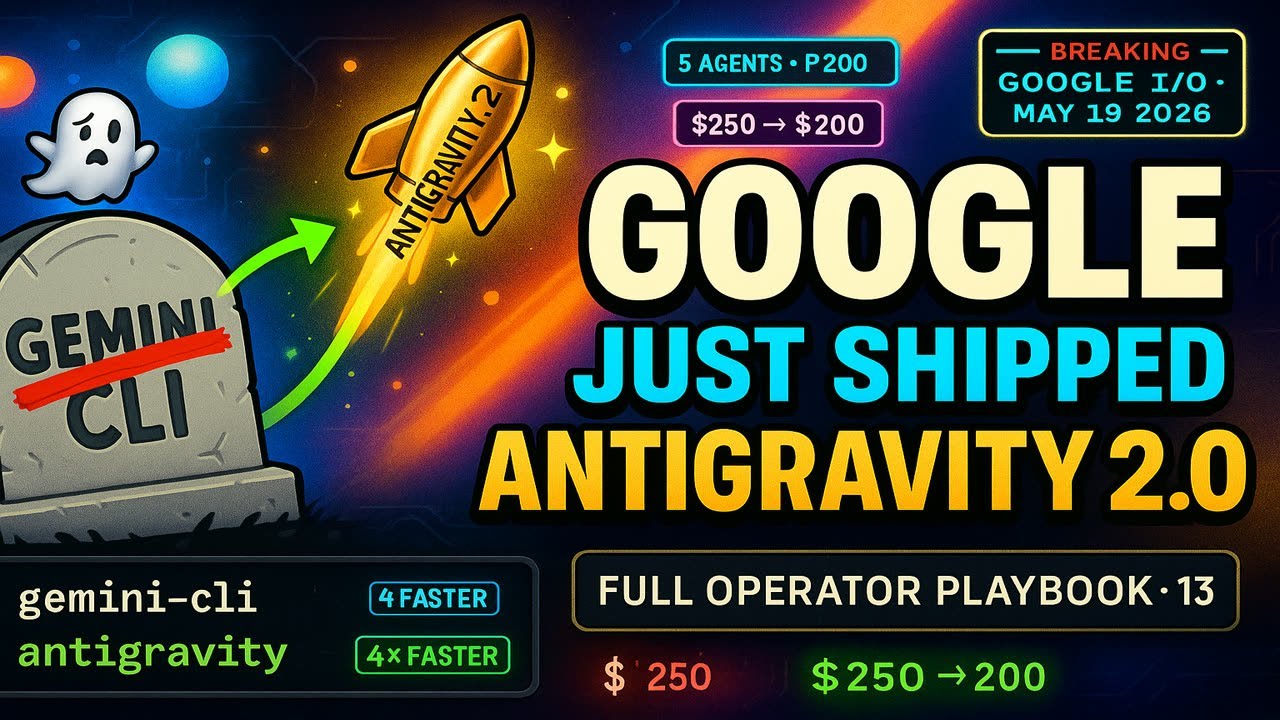
I Read Every Google Antigravity 2.0 Doc So You Don't Have To (13-Min Operator Playbook)
hyperautomationlabs1045
120 views•2026-05-19

Could AI change the future of cancer survival?
MotherConservative
999 views•2026-05-16
Firefox on Android Just Added 'Shake to Summarize'
BrenTech
349 views•2026-05-19

Google’s NEW AI Just SHOCKED The World…
JulianGoldiePodcast
188 views•2026-05-21

WWDC 2026 Promises Apple Intelligence and Siri Upgrades | Episode 195
TheMacRumorsShow
104 views•2026-05-22

RNNs Had a Fatal Flaw — Why Transformers Replaced Sequential Processing
axiom-motion-math
567 views•2026-05-18

Pu Lawmna Kima (LuhsAITech CEO) kawmna | India rama a hmasa ber niturin Agentic AI an siamchhuak ta!
mizoofficialchannel109
5K views•2026-05-19


